Platform Functionality
Overview
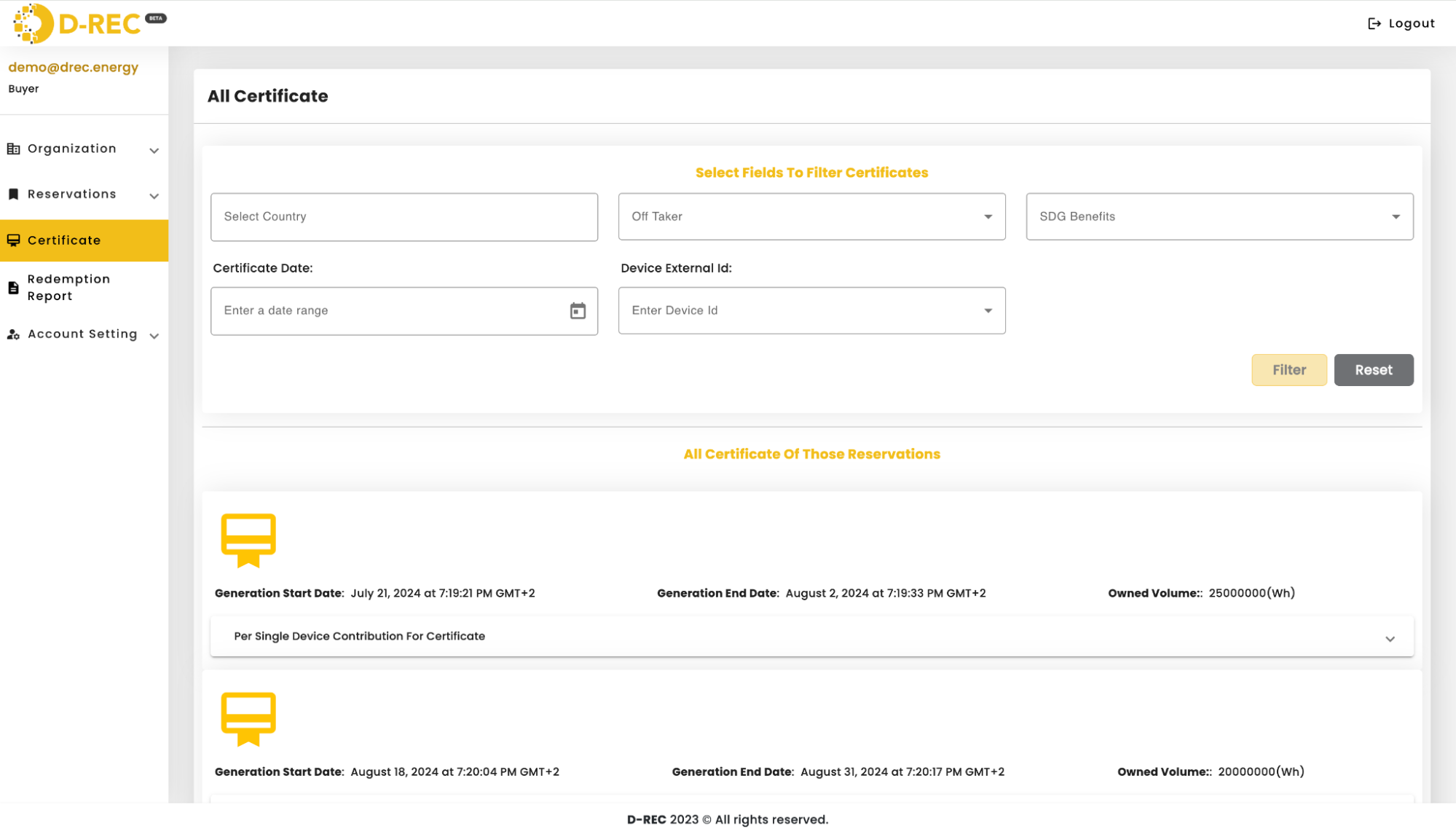
The D-REC platform is open-source software developed in partnership with the Energy Web Foundation that manages the D-REC certificate lifecycle. Built upon the open-source Origin toolkit, the platform enables:
- Organization Registration
- Device registration
- Submission of meter reads for verification
- Issuance of certificates
All certificate lifecycle stages are recorded on the Energy Web Chain. The platform is designed to closely mirror the Evident registry structure and functionality to ensure maximum compatibility.
This platform serves various user groups, including:
- Platform Operator (Admin)
- DRE project developers
- Corporate buyers
- Market intermediaries
Each group has access to customized tools suited to their unique operational requirements.
Service Architecture
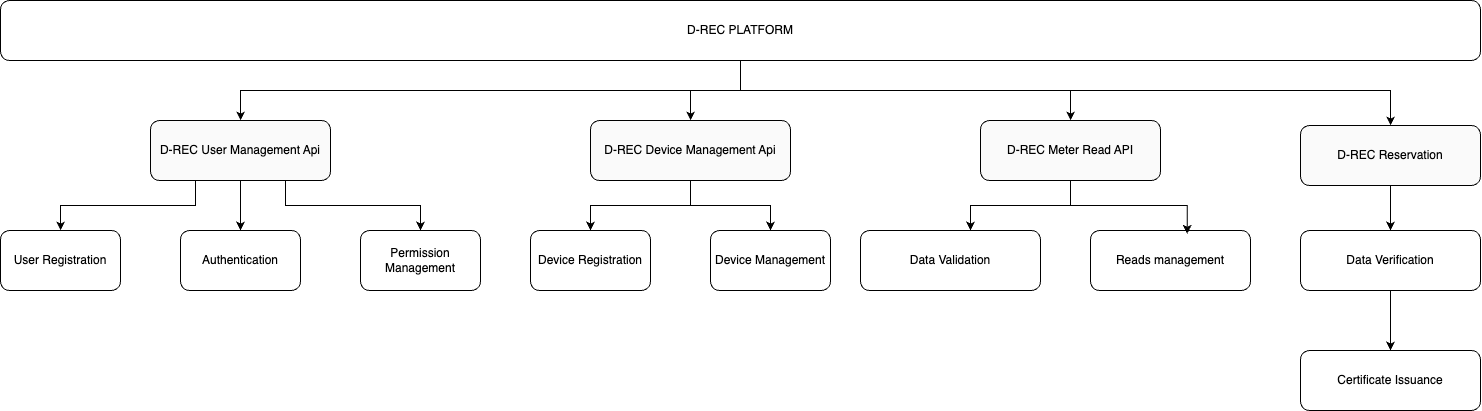
Key Modules
| Module | Description |
|---|---|
| User Management | Enables users to add/remove users and interact with the system, including registering devices or requesting certificate issuance through UI or API |
| Device Management | Handles adding, removing, or editing individual devices through UI or API using a standardized data schema |
| Meter Reads | Allows devices to submit meter readings via API in three formats: historical, aggregate, or delta |
| Buyer Reservation | Manages certificate issuance, which only occurs when a buyer specifically requests it for selected devices |
User Registration Process
- Users complete the registration process on the D-REC platform
- The platform sends a verification email
- The first user to register for an organization is designated as an administrator
- Administrators can invite other users from their organization
- All users are granted either read, write, or delete privileges
- Upon login, users receive an access token for platform functionality
Device Registration
Developers can onboard devices through two primary methods:
- Bulk Upload: Providing device metadata in JSON or CSV format
- API Submission: Using the D-REC Platform API
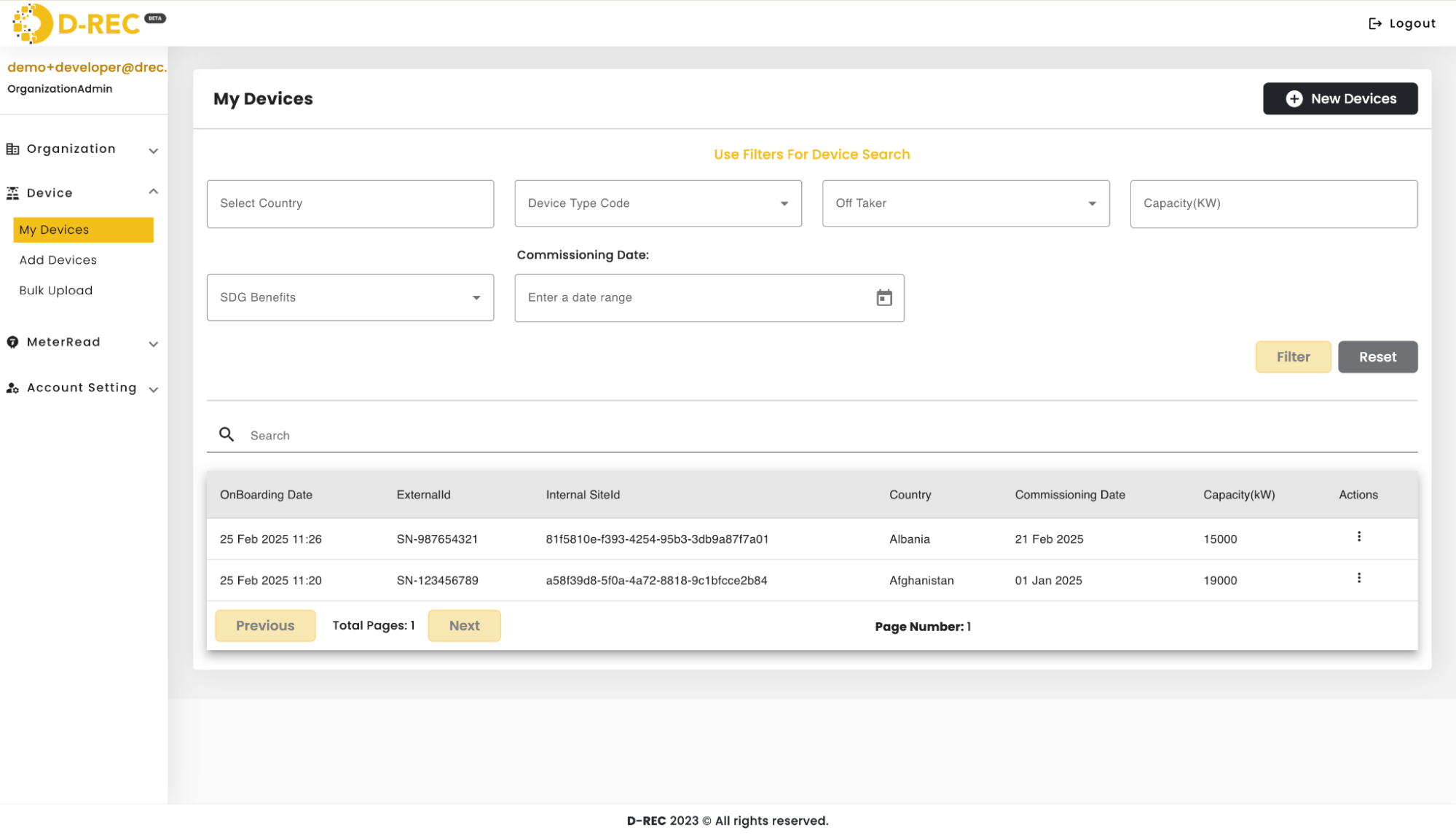
Users must be logged in with a valid access token to register devices. The platform's dashboard displays all registered devices, though only a subset of the detailed metadata is shown on the main landing page.
Device Schema
{
  "id": "number",
  "externalId": "string",
  "developerExternalId": "string (optional)",
  "serialNumber": "string (required)",
  "dataSource": "string (required)",
  "dataSourceBrand": "string (required)",
  "status": "string",
  "organizationId": "number",
  "siteName": "string",
  "address": "string",
  "latitude": "string",
  "longitude": "string",
  "countryCode": "string",
  "fuelCode": "string",
  "deviceTypeCode": "string",
  "capacity": "number",
  "acCapacity": "number",
  "commissioningDate": "string",
  "gridInterconnection": "boolean",
  "offTaker": "string",
  "yieldValue": "number",
  "labels": "string",
  "impactStory": "string",
  "data": "string",
  "images": ["string"],
  "integrator": "string",
  "deviceDescription": "string",
  "energyStorage": "boolean",
  "energyStorageCapacity": "number",
  "qualityLabels": "string",
  "groupId": "number",
  "SDGBenefits": ["string"]
}
Dashboard Device View
Meter Reads
Once registered, devices can submit meter reads for validation through:
- The D-REC Platform's API endpoint:
POST/api/meter-reads/new/{id}- Where
{id}is the identifier uniquely assigned to each installation
- Where
- File upload
Three types of meter reads are supported:
- Historical: Data from a previous period
- Aggregate: Running total of electricity produced since commissioning
- Delta: Specific generation amount between data submissions
Note: Submitting meter reads alone does not trigger certificate issuance.
Buyer Reservation
Certificate issuance requires a buyer to specifically request it by selecting devices. The reservation process follows these steps:
- Buyer specifies which devices should issue certificates
- Platform begins validating submitted data from selected devices
- Upon successful validation, certificates are issued and assigned to the buyer's wallet
Reservation Schema
{
  "reservationId": "string",
  "standards": "string",
  "frequency": "string",
  "starttime": "string",
  "endtime": "string",
  "targetVolume": "double",
  "authorityToExceed": "boolean",
  "targetAddress": "string",
  "deviceIDs": [
    "UUIDs" // list of individual device IDs
  ]
}
Data Validation
The platform validates device data using an algorithm ("digital twin lite") to determine whether submitted data aligns with expectations based on:
- Device location
- Capacity
- Other relevant factors
The validation process consists of two key components: calculating expected generation and applying acceptance criteria.
Expected Generation Formula
Where:
= Expected generation (kWh) = Solar irradiance (kWh/m²) = Nameplate capacity (kW) = Years since commissioning
Validation Criteria
The reported generation is assumed to be normally distributed with:
- Mean:
(calculated from the formula above) - Standard deviation:
A reported daily generation value
Certificate Issuance
After successful validation:
- Certificates are issued and assigned to the buyer's wallet (organization blockchain address)
- Each certificate represents 1 or more kWh of verified energy from a reservation
- Each certificate corresponds to a single reservation